What to do if you sell on Amazon and you haven’t touched your titles since June, Amazon’s AI is probably already rewriting them for you. Not “will” — is. That process started on 27 July 2026 and it’s running quietly in the background across catalogues right now.
I manage two of my own brands on Amazon AU, US and UK, plus client accounts through Ecom Mate, so I’ve been living inside this change since the announcement dropped. This post is the version I wish someone had handed me in June: what actually changed, what Amazon has since clarified, and the exact workflow to get your catalogue compliant without torching the keywords that pay your bills.
The short version
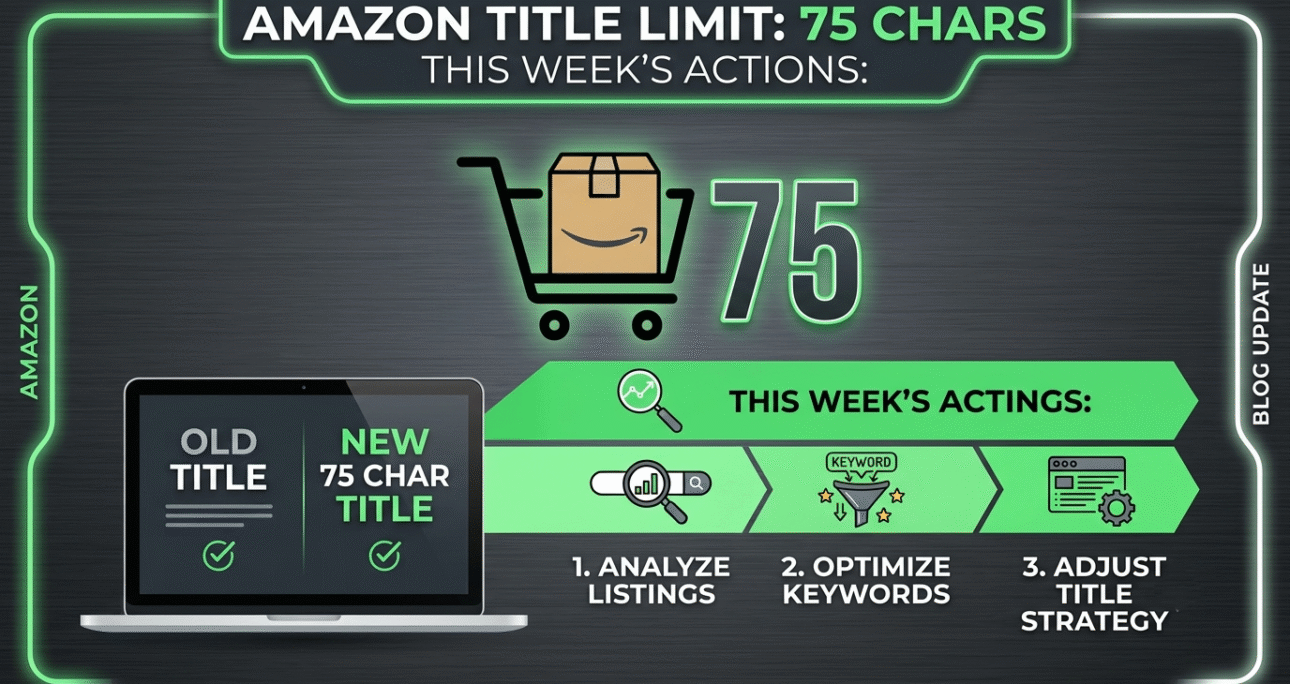
- Since 27 July 2026, product titles in every category except media (books, music, video) must be 75 characters or fewer, including spaces.
- Amazon added a second field called Item Highlights worth 125 characters. It’s searchable, and it displays under your title in search results and on the product page.
- Combined, that’s still 200 characters — the same total ceiling Amazon set in January 2025. The budget didn’t shrink. It got split into two fields with two different jobs.
- Listings still over the limit get AI-rewritten titles, rolling out gradually across the rest of 2026.
- Brand-registered sellers get 14 days to review, edit or approve those AI rewrites inside Review Listings Changes. If nobody on your team opens that tool, Amazon’s version silently becomes your live title.
- From 10 August 2026, Item Highlights displays beneath the Item name consistently on both desktop and mobile.
That last bullet is the one most sellers have missed, and it’s a week away.
How we got here: the actual timeline
This wasn’t a surprise. Amazon has been walking sellers toward this for eighteen months.
January 2025 — Amazon capped titles at 200 characters across most categories and restricted certain special characters. Enforcement was patchy, and a lot of legacy listings kept running long.
April 2025 — Amazon emailed sellers about a “two-part” title concept, separating product identification from marketing highlights. Most people filed it under “interesting, not urgent.”
10 June 2026 — Amazon confirmed the real thing in Seller News. Titles in all categories except media would need to be 75 characters or less including spaces from 27 July 2026, so the title fully displays on mobile and stays consistent with the title length used by other online stores. The same announcement introduced Item Highlights as an additional 125 characters for sharing materials or recommended use cases that help customers compare options, searchable and visible with titles in search results and on product detail pages. (Amazon Seller Forums announcement) Amazon
27 July 2026 — Enforcement day. Amazon began generating AI recommendations on non-compliant listings using the seller’s own existing title as the source material.
30 July 2026 — Amazon published a follow-up FAQ on Seller Forums under Policy and Compliance. This is the document most of this post is built on, and it’s where the 14-day window and the 10 August display date were confirmed.
10 August 2026 — Display parity between desktop and mobile.
One number from that FAQ is worth sitting with: more than 984 million product titles have been updated since the policy was first announced in June 2026. Nearly a billion. This is one of the largest catalogue changes Amazon has ever pushed through, and it’s happening on Amazon’s schedule, not yours. PPC Land
What Amazon actually confirmed in the July FAQ
Six things, and each one changes a decision you might otherwise get wrong.
1. Search and discoverability are unchanged
The biggest fear in seller forums since June was that moving keywords out of the title into Item Highlights would cost organic ranking weight. Amazon’s answer was direct: search and discoverability are unaffected by the split, with Item name and Item highlights functioning as parallel inputs for search, and neither field prioritised over the other. PPC Land
Take that at face value, but not blindly. “Both are inputs” is not the same statement as “both carry identical ranking weight.” Amazon has never published relevance weightings for any field, and it isn’t starting now. My working position — and what I’m applying across accounts — is simple: treat the title as your highest-confidence surface and keep your proven rank-carrying terms there. Use Item Highlights for the secondary terms, the qualifiers, the use cases. If Amazon’s parity claim holds, you lose nothing. If it doesn’t, you’ve protected the keywords that actually drive revenue.
You can validate this yourself in about four weeks. Pick five ASINs, move a mid-tier keyword from title to Item Highlights, and watch the search term impression share in your Search Query Performance report. That’s real data on your own catalogue, which beats anyone’s opinion including mine.
2. You don’t have to act first, but inaction has a cost
Amazon confirmed that listings which haven’t been updated will remain active, editable and searchable, and that the AI recommendation process will take place throughout 2026 rather than as a single cutover. PPC LandPPC Land
So nothing breaks. Your listings don’t go down. But “nothing breaks” and “nothing changes” are different things. What eventually lands on your detail page is either a title you wrote or a title an algorithm wrote from your old one. There’s no third option.
3. The 14-day review window is the part that costs money
Brand owners get 14 days before changes are implemented to review, modify and approve AI-generated changes inside a tool called Review Listings Changes. Sellers who aren’t Brand Registered don’t get that buffer in the same form — Amazon applies the change. PPC Land
Mansour Norouzi of Incrementum Digital put the practical reading of this better than I could: if nobody on the team is watching Review Listing Changes, Amazon’s version becomes your live title by default. PPC Land
That’s the whole risk in one sentence. Fourteen days of silence equals approval. If you’re a brand owner with more than a handful of ASINs, put a recurring calendar reminder on Review Listings Changes twice a week until the end of 2026. It takes four minutes. It’s the highest-ROI four minutes in your Seller Central routine right now.
4. Mobile and desktop converge on 10 August
Until now, rendering has been inconsistent — Item Highlights showed up under the title on mobile before desktop caught up on many listings. Amazon confirmed that effective 10 August 2026, Item highlights will display beneath the Item name across both desktop and mobile. PPC Land
There’s a caveat worth reading twice: the number of characters visible on screen may vary depending on screen size or pre-configured display settings. You will not get all 125 characters shown in every viewport. Which means front-load the field. Put the detail that closes a sale in the first 60–70 characters and treat the tail as bonus indexing rather than guaranteed copy. PPC Land
5. Bulk editing runs through the Category Listings Report
For anyone with more than 30 or 40 SKUs, manual editing is a waste of a week. Amazon pointed to the Category Listings Report as the bulk mechanism. It downloads pre-populated with your existing product data, the Item Highlights column sits next to Item name in the sheet, you edit both, then re-upload through the List Your Products tool. Amazon states listings are typically updated within eight hours of upload. PPC Land
That eight-hour number is useful for planning. If you’re phasing a 2,000-SKU catalogue, you can realistically clear 200–300 SKUs per working day with one person on it, checking each batch before pushing the next.
6. Brand name stays in the title; variations get triaged
Amazon recommended keeping your brand name in the Item name and distributing other required disclosures and important details across both fields. PPC Land
On variations — colour, size, flavour, scent, pack count — Amazon’s guidance is to include the most important variating attributes in the Item name, and where 75 characters doesn’t allow full coverage, retain only the most important there while moving the remainder into Item highlights. PPC Land
For anyone running big parent-child families, this is where the work gets real. A 12-child variation family means twelve individual triage decisions about which attribute earns space in 75 characters. There’s no bulk shortcut for the thinking part — only for the uploading part.
How to actually rewrite a title in 75 characters
Here’s the framework I use. Four slots, in priority order:
- Brand — non-negotiable, Amazon says keep it, and it drives branded search
- Core product noun — what the thing literally is, in the words shoppers type
- The single strongest differentiator — the one attribute that makes a shopper click you over the listing above you
- The variating attribute — size, count, scent, colour, whichever separates this child from its siblings
Everything else moves to Item Highlights. Everything.
Here’s one of my own listings from Bully Bark Naturals, before and after.
Before (171 characters):
Bully Bark Naturals Bully Sticks for Dogs, 12 Inch Odor Free Natural Beef Bully Stick Dog Chews for Large Dogs, Long Lasting Rawhide Free Dental Treats, Grass Fed, 10 Pack
After — Item name (75 characters, exactly at the ceiling):
Bully Bark Naturals Odor-Free Bully Sticks for Large Dogs, 12 Inch, 10 Pack
Item Highlights (113 characters):
Grass-fed beef, single ingredient. Rawhide free. Long lasting dental chew for aggressive chewers. Puppy to adult.
Nothing was thrown away. “Grass fed,” “rawhide free,” “long lasting,” “dental” all still index — they just live one line down now. What earned title space was the term shoppers actually search on (“bully sticks”), the differentiator that wins the click in this category (“odor-free”), and the two attributes that distinguish this child ASIN from the rest of the family (12 inch, 10 pack).
Second example, from NOVALINK on Amazon AU.
Before (187 characters):
NOVALINK Laundry Detergent Sheets Fresh Linen Scent, 60 Sheets, Eco Friendly Plastic Free Washing Strips for Machine and Hand Wash, Travel Size, Biodegradable, Suitable for Sensitive Skin
After — Item name (71 characters):
NOVALINK Laundry Detergent Sheets, Fresh Linen, 60 Sheets, Plastic Free
Item Highlights (111 characters):
Dissolves in hot or cold water. Machine and hand wash. Biodegradable, no plastic jug. Gentle on sensitive skin.
Note what I did with the 71 characters: I stopped short of the limit. The goal is not to use all 75 characters. It’s to use the right ones. Padding a title to hit 75 exactly is the same mistake as stuffing 200 characters was — it just costs you less space to make.
How to write Item Highlights so it earns its 125 characters
This field is new enough that most of your competitors have left it blank. That’s an opening, and it won’t stay open long.
What works:
- Comma-separated attribute phrases, not sentences. “Grass-fed beef, single ingredient, rawhide free” reads better to both a shopper scanning on a phone and to Amazon’s keyword engine than “Our bully sticks are made from grass-fed beef.”
- Materials, use cases, compatibility, care. This is exactly what Amazon named the field for. Who it’s for, what it’s made of, what it does, how it’s used.
- Front-load the important half. Assume only the first 60–70 characters reliably render.
- Don’t repeat the title. Amazon’s field guidance asks you not to duplicate what’s already in the Item name, and repetition buys you no additional indexing. Every duplicated word is a wasted character.
- Write it, then read it on a phone. If the first four words don’t make sense on their own, reorder them.
What doesn’t:
- Keyword salad. Item Highlights is monitored for restricted content, and it renders to shoppers. A comma-delimited keyword dump reads as spam to a human and gets you nothing extra from the algorithm.
- Claims you can’t substantiate. Compliance rules didn’t relax because the field is new. Medical, safety and eco claims carry the same risk here as in a bullet point.
- Treating it as bullet-point overflow. Bullets and Item Highlights are separate attributes with separate purposes. Don’t paste one into the other.
- Leaving it empty. If you leave it blank, Amazon’s AI fills it from your old title. You’ve just outsourced your keyword strategy to a system optimising for compliance, not for your margin.
If listing copy is the piece you’d rather not do yourself, that’s a core part of what we handle under Amazon listing SEO and conversion at Ecom Mate — including full catalogue rewrites for exactly this transition.
The bulk workflow, step by step
For catalogues above roughly 50 SKUs:
- Pull your Category Listings Report from Seller Central. It arrives pre-populated with what you’ve already provided, and Item Highlights sits beside Item name in the sheet.
- Sort by title length. Add a
=LEN()column. Anything over 75 is in the queue. Sort descending — the 190-character titles are the ones Amazon’s AI will reach for first and mangle hardest. - Prioritise by revenue, not by length. Your top 20 ASINs by trailing-90-day sales get hand-written titles. The long tail can take a templated approach.
- Build a variation-family template first. For a parent with eight children, lock the brand + product noun + differentiator portion once, and vary only the attribute slot. Consistency across a family also helps shoppers navigate the variation picker.
- Cross-check against your search term data before you cut. Open Search Query Performance or your Brand Analytics export. Any keyword driving meaningful impressions or conversions either stays in the title or moves deliberately to Item Highlights. Never let it fall off the listing entirely because it didn’t fit.
- Upload in batches through List Your Products. Expect roughly eight hours to process. Verify one batch on the live detail page before pushing the next.
- Check Review Listings Changes twice a week regardless, because Amazon may still be generating recommendations on ASINs you haven’t reached yet.
If step 5 sounds like the hard part, that’s because it is. It’s also the step that separates a clean transition from a ranking drop. We’ve built a set of free Amazon tools that help with the keyword triage side of this.
What this does to your PPC
This is the part the FAQ didn’t address, and it deserves its own attention.
Sponsored Products relevance is tied to listing content. When a title changes — especially when a long-tail keyword that was sitting in your title moves to a different field, or drops off entirely — the relevance signal underpinning your keyword targeting can move with it.
Two things I’d do before touching titles on any advertised ASIN:
Don’t edit everything at once. Phase it. Twenty or thirty ASINs at a time, with a measurement window between batches. A commenter on the LinkedIn discussion around the FAQ made the point well: title edits shouldn’t become a copy-and-paste project, because even small title changes can influence click-through rate and Sponsored Products performance. If you rewrite 500 ASINs on a Tuesday and ACoS moves on Friday, you will never know which change caused it. PPC Land
Screenshot your baseline. Impression share, CTR, CVR and ACoS at the campaign and keyword level for every ASIN you’re about to touch. Reindexing after a title change is real — one seller in the forum thread reported a two-week traffic dip on already-updated titles before recovery began. If you don’t have the before-picture, a normal reindex dip looks identical to a permanent loss, and you’ll make a panic decision on a campaign that was going to recover on its own. PPC Land
Worth noting: Amazon’s own Sponsored Products documentation has historically recommended product titles of around 60 characters — below even the new ceiling. If you were already following that advice, this update barely touches you. If you built 200-character keyword-stuffed titles, the adjustment is bigger. More on structuring campaigns through changes like this in our Amazon PPC management approach, and you can see what a phased transition looked like on a live account in our Amazon case study. PPC Land
Six mistakes I’m watching sellers make right now
Assuming they’re compliant because nothing broke. Your listing staying live is not confirmation that it passed. It means Amazon hasn’t reached it yet.
Ignoring Review Listings Changes. Fourteen days of silence is consent. This is the single most expensive oversight available to a brand owner this quarter.
Cutting the title without checking search data. People are deleting the exact long-tail phrase that was quietly driving 15% of their organic sessions, because it happened to sit at the end of the string.
Leaving Item Highlights blank. Free searchable real estate, visible in search results, and most competitors haven’t filled it. Fill it.
Applying a title template across a variation family without triage. Amazon explicitly told you to put the most important variating attribute in the title. On a 12-child family, “most important” differs per child.
Forgetting the international marketplaces. If you sell on Amazon UK, DE, AU and US, this applies everywhere. I’m running this across three marketplaces on my own brands and the character maths is different in German — compound nouns eat 75 characters fast. Translated titles need rewriting, not trimming.
Your audit checklist for this week
Run this before 10 August, when display parity lands and everything becomes visible on desktop:
- Export Category Listings Report; add a
=LEN()column on Item name - Flag every ASIN over 75 characters
- Sort the flagged list by trailing-90-day revenue, descending
- Open Review Listings Changes — check what Amazon has already queued against your ASINs
- Pull Search Query Performance for your top 20 ASINs and mark protected keywords
- Rewrite titles for the top 20 by hand
- Write Item Highlights for all of them, front-loaded, no title repetition
- Screenshot PPC baselines for every ASIN you’re about to edit
- Upload in batches; verify one batch live before the next
- Set a twice-weekly recurring reminder on Review Listings Changes through December 2026
- Repeat for every marketplace you sell in
If you’d rather have someone run that audit for you, we do a free 48-hour Amazon audit that now includes a full title and Item Highlights compliance pass across your catalogue. If you already know what you need and just want pricing, get a fast quote.
Frequently asked questions on What to Do about the Limit:
When did the Amazon 75-character title limit take effect?
27 July 2026, for product titles in all categories except media (books, music, video). The limit is 75 characters including spaces.
What is Amazon Item Highlights?
A searchable field of up to 125 characters, introduced alongside the shorter title. It sits directly beneath the Item name in the Seller Central listing editor and displays beneath the title in search results and on product detail pages. It’s intended for materials, use cases and comparison details that no longer fit in the title.
Does moving keywords to Item Highlights hurt my ranking?
Amazon states that search and discoverability are unchanged, and that Item name and Item highlights are both inputs for search with neither prioritised. Amazon has not published relative weightings, so the safe approach is to keep proven rank-driving keywords in the title and use Item Highlights for secondary terms and qualifiers.
What happens if I don’t update my titles?
Amazon’s AI generates a recommended title and Item Highlights from your existing title. Brand-registered sellers get 14 days to review, modify or approve the change in Review Listings Changes. Without action inside that window, Amazon’s version goes live. Sellers without Brand Registry don’t receive the same review buffer.
Can I change an AI-generated title after Amazon applies it?
Yes. Amazon confirmed sellers can update listings at any time through Manage All Inventory or the List Your Products tool. Acting before the change lands is still simpler than reversing it afterwards.
Does the 75-character limit apply to parent listings and child ASINs?
Yes. It applies across parent and child variation titles in all non-media categories.
How do I update titles in bulk?
Download the Category Listings Report, which arrives pre-populated with your product data and includes the Item Highlights column next to Item name. Edit both fields, then upload through the List Your Products tool. Listings are typically updated within eight hours.
When do Item Highlights show on desktop?
From 10 August 2026, Item highlights displays beneath the Item name across both desktop and mobile. The number of characters visible varies by screen size and display settings.
Do books and media listings need to change?
No. Media categories — books, music, video — are excluded from the 75-character requirement.
Sources and further reading:
Amazon Seller Forums — Updates to improve your product titles begin on July 27 · Amazon Seller Forums — Engage With Amazon: product title update questions · PPC Land — Amazon forces 14-day review window on AI-rewritten product titles